Marketplace first
Agree on the request before checkout
ZapLah is a Singapore-based online marketplace connecting requesters with Travellers through upcoming Trips and local Service listings. Create an Item or Errand request, compare offers, clarify details before committing, and follow checkout and proof-based completion. If unforeseen costs arise after the original payment but before proof, a Traveller or Runner can request a separately approved One-Time Price Adjustment. For eligible Items, Customs Cost Guardrail choices address official charges through a different process.
One marketplace for requests, Trips, and local Services. Use ZapLah on iOS, Android, or directly in your browser to request overseas items or errands, compare Traveller offers, ask questions before committing, communicate in-app, and track proof-based completion.
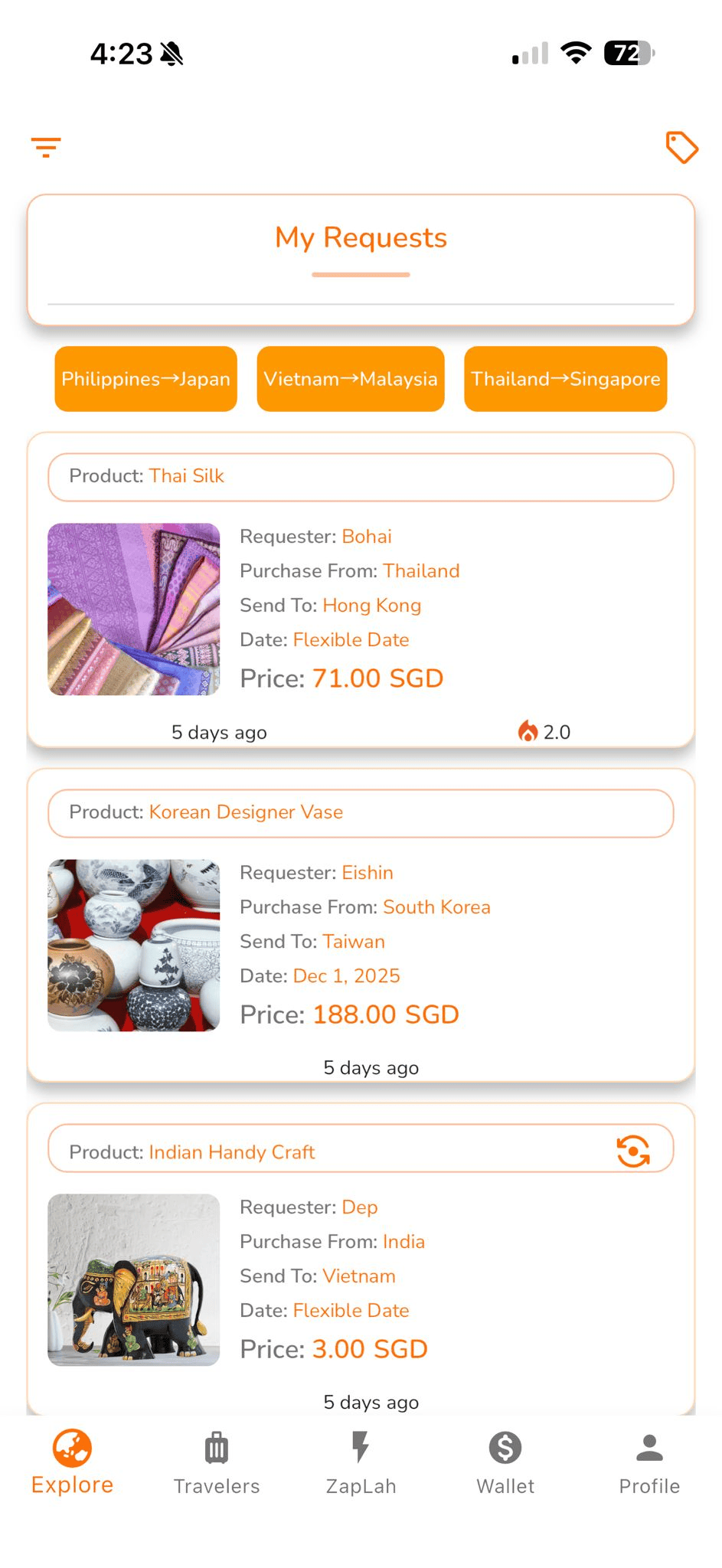
ZapLah is a Singapore-based online marketplace connecting requesters who need overseas items or help with errands to Travellers through upcoming Trips and local Service listings. Requesters can post public requests or send private requests to a relevant Trip or Service, compare offers, review profiles, and clarify the scope through Comments, Threads, and Enquiries.
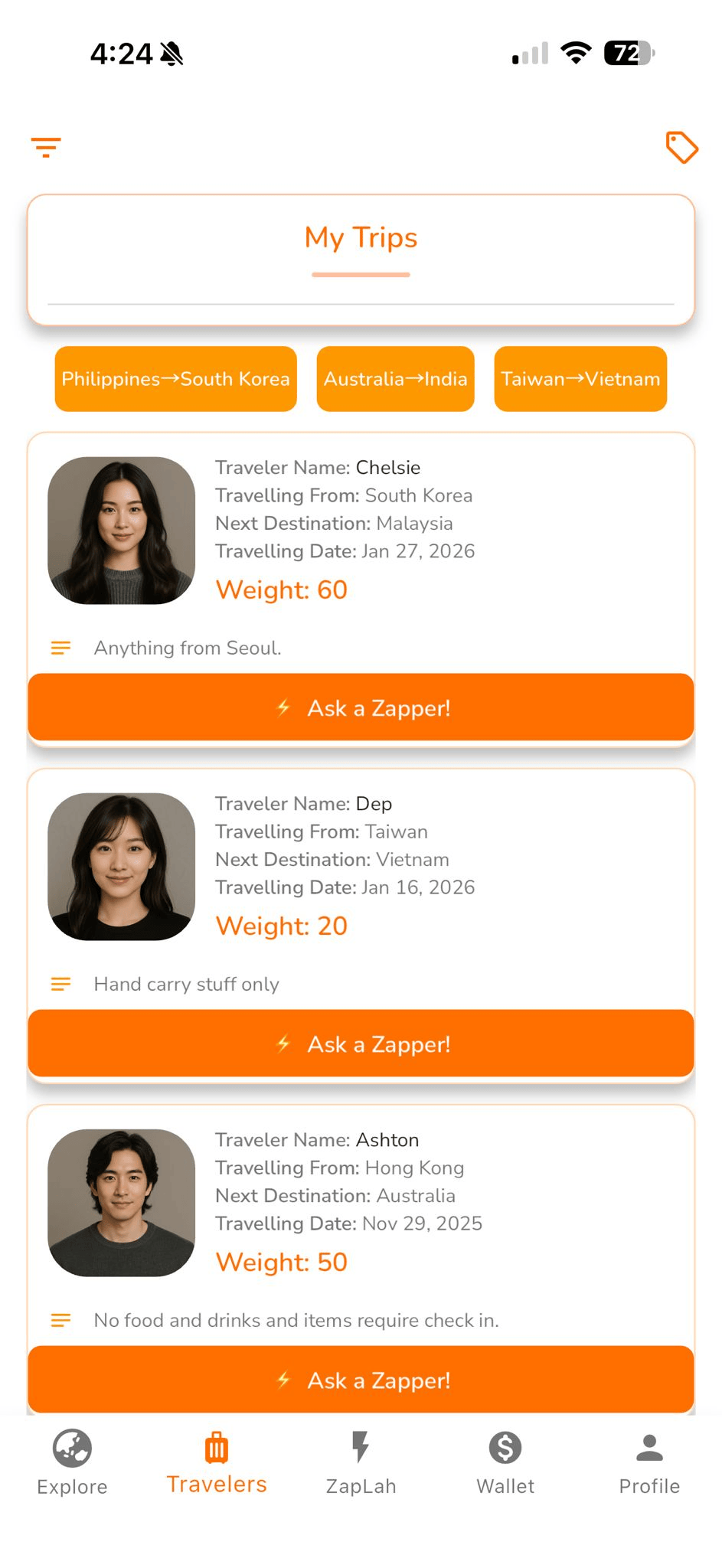
For Items, Travellers can help source and carry purchases along their routes; for Errands, Travellers can list local Services for tasks such as collect & deliver, returns & exchanges, checks & verification, printing & dispatch, contact & follow-up, or queue & collection. ZapLah provides the marketplace journey—from discovery and offers to supported checkout, proof-based progress, completion records, multilingual communication, ratings, and Traveller Pass profiles. ZapLah does not operate a courier fleet or fulfil requests itself.
Traveller Pass profiles surface public activity such as completed Trips, request and Service participation, ratings, and reviews so users can compare who they engage with. Tap a profile to view its Digital Passport.
Use Apple, Google, or Facebook sign-in where supported to reduce account setup friction while ZapLah keeps its own marketplace profiles, verification, ratings, and activity separate.
A familiar mobile-first option for users who prefer to access ZapLah with their Apple account.
A familiar sign-in option that helps users access ZapLah across supported devices.
Another familiar option for users who prefer to access ZapLah with their Facebook account.
Third-party sign-in simplifies account access. ZapLah profiles, verification, ratings, reviews, and marketplace activity remain part of ZapLah’s own experience.
ZapLah connects Item and Errand requests with real Traveller journeys and local Service listings across Southeast Asia and nearby Asia-Pacific markets. Users can discover relevant Trips or Services, communicate before committing, compare offers, complete checkout, and follow proof-based completion in one marketplace journey.

Comments, Threads, and Enquiries give both sides a place to clarify the request, route, timing, availability, and proof expectations before committing.

Once the request and offer are agreed, supported checkout methods help users move into the completion flow without making payments the centre of the marketplace story.

Apple, Google, and Facebook sign-in give users familiar ways to access ZapLah while marketplace trust remains tied to their ZapLah profile and activity.
ZapTrend and community activity help users discover overseas products and request ideas across markets.
Comments, Threads, and Enquiries help both sides resolve item, errand, trip, or Service details before any offer, acceptance, or payment happens.
Once both sides agree on the request and offer, checkout is completed through supported payment methods before the request continues.
Proof uploads and completion records keep Item and Errand requests clear from agreement through handoff or completion.
ZapTrend is ZapLah’s discovery engine for surfacing useful product ideas and demand signals across markets. It helps requesters explore what may be worth asking for while keeping the actual marketplace decision with the user. The engine continues to evolve as ZapLah improves its discovery and curation signals.
Uses structured sources and marketplace signals to surface products that may be useful or interesting across different markets.
Turns discovery signals into request-ready ideas that users can review before deciding whether to create a request.
Designed to support requesters and Travellers with more relevant discovery while keeping matching and transactions inside the ZapLah marketplace.
ZapTrend continues to improve its scoring, curation, and relevance as more marketplace signals become available.
Browse a preview of products and ideas surfaced by ZapTrend, then decide whether any of them are worth turning into a marketplace request.
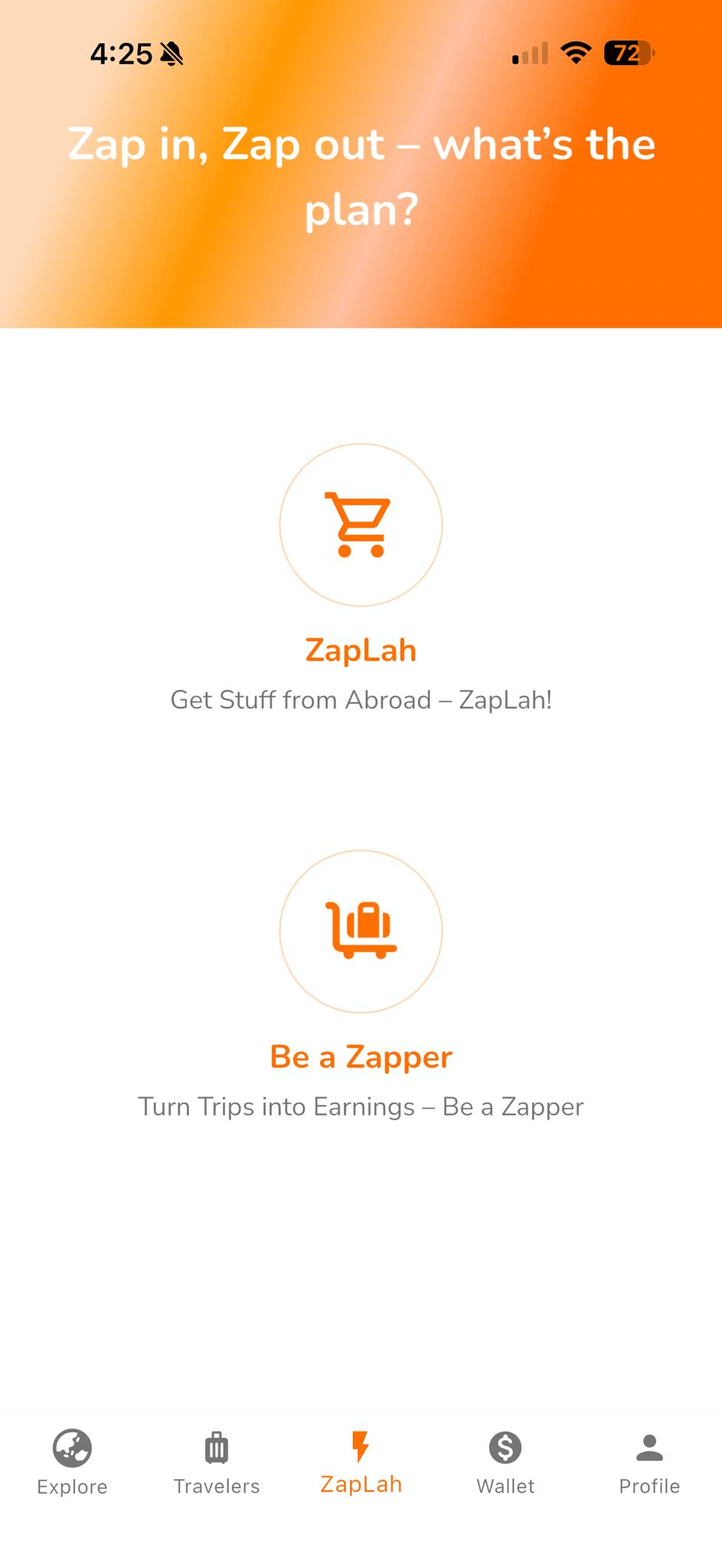
Two sides of the same marketplace journey. Pick your role:
Request an overseas Item or an Errand in another country, ask questions early, compare offers, complete checkout when ready, and follow the agreed proof through completion.
For Items, describe what to buy, where it should go and the estimated purchase value; choose the displayed Customs Guardrail preference if eligible. For Errands, set the task and completion proof. Set a price or open a request for quotes.
Use Comments and Threads to clarify item details, errand instructions, timing, conditions, or proof expectations. Then compare profiles, offers, and timelines with better confidence.
Pay the original Offer first. Before progress or purchase proof, review any unforeseen-cost Price Adjustment request and pay separately if you approve. Eligible official Customs charges have their own approval, receipt and reimbursement flow. Then follow the required proof checkpoints.
Review the final proof and confirm delivery or Errand completion to close the marketplace request through the applicable completion flow.
Earn from Trips you are already taking or list a local Service where you can reliably help. Use Enquiries to clarify the request early, agree the terms, and complete the required proof and completion steps.
Travelling soon? Add route, dates and capacity. You can also set an optional maximum estimated Item purchase value you are personally comfortable considering—this is not your carry fee or a customs limit. Staying local? List your Service profile.
Pick requests that fit your trip, or receive private Errand requests through your Service. Use Enquiries to clarify the work early, then accept the request price or send a Counter Offer where available.
If an unforeseen Item or Errand cost arises before proof, submit a One-Time Price Adjustment with supporting details and wait for Requester approval and payment before proceeding. For eligible Items, official Customs charges use their separate guardrail and evidence process. Then upload the applicable proof.
Finish the Item handoff or Errand, submit the required final proof, and complete the request after requester confirmation or the applicable completion window.
Plans can change after checkout. Before the required progress or purchase proof is submitted, an eligible Traveller or Runner can explain an unforeseen additional cost, and the Requester can choose whether to approve it. No additional payment is taken merely because a request is submitted or approved.
The provider submits the amount, reason and supporting details before the applicable proof checkpoint. The Requester reviews the request in ZapLah and may approve or decline it. If approved, an additional checkout is required: approval alone is not payment.
Use a Price Adjustment for eligible unforeseen purchase or service costs before the proof checkpoint. The Requester can review the reason and amount before making an additional payment. It is not an automatic price increase.
When paid, a Price Adjustment uses a separate 90% provider / 10% ZapLah platform allocation. ZapLah Credits are not applied to this extra charge. Funds remain subject to completion, review, release and applicable refund safeguards.
For eligible Item Requests, ZapLah's Customs Cost Guardrail records how the Requester wants a Traveller to handle an unexpected official customs or government charge. It does not quote tax, grant an exemption or replace either User's legal obligation to make truthful declarations.
For eligible Item Requests, the Requester records a Customs preference that the Traveller can review before accepting the work. It helps both parties discuss who may reimburse an unexpected official charge; it does not remove customs obligations.
The Requester indicates an approximate purchase value. A Traveller may separately set an optional preferred maximum purchase value per Item. Neither number is the carry fee, a guaranteed customs valuation or a legal duty-free threshold.
Where offered, choose Contact Before Payment or No Additional Customs Reimbursement. The Traveller sees the selected preference and can clarify the arrangement before proceeding.
When a real official charge arises, the Traveller should request approval through ZapLah where reasonably practicable. Under No Additional Customs Reimbursement, an in-app One-Time Exception can be requested; the Requester remains free to reject. The current limit is three total submissions per Offer.
For a qualifying approved reimbursement, upload an authentic official receipt or assessment and actual-payment evidence. The dedicated Customs payment is separate from the original Offer and currently allocates 100% of the verified reimbursement to the Traveller, with a 0% ZapLah platform service fee on that distinct payment. Holds, refunds or review may apply.
Read the Terms of Service and Traveller Service Agreement v3 for responsibilities and reimbursement conditions.
ZapLah connects requests, Trips and Services with clear offers, checkout and proof. If an eligible unforeseen cost arises after payment but before proof, the provider can request a separate One-Time Price Adjustment for Requester review. Official Customs charges continue through their own distinct guardrail and reimbursement process.
Use Request Comments / Threads plus Trip or Service Enquiries to clarify route, timing, buying feasibility, errand scope, availability, and special instructions before anyone commits.
When both sides are ready, checkout is completed through the supported payment methods shown in ZapLah, while the agreed request remains the reference point for completion.
An eligible Price Adjustment is requested and approved separately before proof; official Customs charges use their own distinct approval and receipt process. Item handoff and Errand completion retain their agreed proof checkpoints.
AI-assisted communication, multilingual support, and ZapTrend discovery can help users understand requests and opportunities more clearly.
ZapLah brings requests, Traveller Trips, local Services, offers, communication, checkout, proof, and reviews into one marketplace flow. Both sides can clarify estimated Item value and eligible Customs arrangements, review unforeseen-cost Price Adjustments separately where needed, and maintain authentic proof and a clear completion record.
Once both sides agree, ZapLah presents supported checkout methods for the original Offer. If an eligible unforeseen expense arises before proof, an approved One-Time Price Adjustment requires its own payment using the normal 90/10 service-fee split. Approved official Customs reimbursements use a different, evidence-based payment flow.
Apple, Google, and Facebook sign-in provide familiar ways to access ZapLah while profile verification, ratings, and marketplace activity remain within ZapLah.
Item requests can match traveller routes and dates, while Errand requests can connect with local Service listings. Requesters compare offers and choose with clearer context.
AI-assisted translations reduce misunderstandings while keeping agreement and proof steps central.
Travellers and Runners can request a separate, evidence-backed adjustment before progress or purchase proof. Requesters review, approve or decline, and pay separately if approved. Learn how it works.
Item and Errand requests retain their own proof checkpoints. For eligible Items, the Customs Guardrail separates requested official-charge approval and evidence from the original service transaction.
New Comments, Threads, and Enquiries help both sides clear up ambiguity before accepting, offering, or paying.
Travellers can propose a different price before checkout. The requester can review the updated offer before deciding whether to proceed.
ZapTrend surfaces cross-market product ideas and demand signals that users can review before choosing whether to create a request.
If you are unsure what an Item or Errand should cost, use an open request and let Travellers propose an offer based on local pricing, availability, and effort.
Comments, Threads, and Enquiries give requesters and Travellers dedicated places to clarify details before an offer is accepted or checkout begins.
On request pages, users can ask clarifying questions before engaging—useful for item details, errand instructions, timing, conditions, proof expectations, and pickup or handoff details.
Travellers can receive pre-engagement enquiries on Trips and Services so requesters can confirm route, capacity, service area, timing, availability, and feasibility before moving forward.
These tools keep important request details attached to the relevant Request, Trip, or Service so both sides can make a better-informed decision.
It is a separate request for an eligible, unforeseen additional Item or Errand cost after the original Offer has been paid and before the relevant progress or purchase proof is submitted. The Traveller or Runner supplies an amount, reason and supporting details. The Requester may approve or decline it; the original Offer amount remains unchanged.
No. Approval records your decision; the additional amount must then be paid through its own checkout. If payment is not completed, the provider should not treat it as paid. Price Adjustment payments do not use ZapLah Credits and have their own status and safeguards.
A successfully paid Price Adjustment is allocated separately: 90% to the Traveller or Runner and 10% as the ZapLah platform fee, subject to completion, settlement and any applicable dispute or refund hold. The additional payment can be reviewed and refunded independently of the original Offer under the applicable rules.
No. A One-Time Price Adjustment covers eligible unforeseen Item or Errand costs and uses the separate 90/10 split. A qualifying official Customs Reimbursement is an Item-specific, evidence-based payment handled under the Customs Cost Guardrail; its approved reimbursement is currently allocated 100% to the Traveller, without an additional ZapLah service fee on that reimbursement.
You may decline a pending Price Adjustment. An approved adjustment can be cancelled only while it remains unpaid and before its checkout has started. In that specific case, the provider may submit one more eligible request; there is no unlimited retry. Completed additional payments follow the applicable separate refund process instead of cancellation.
No. It is the approximate individual Item purchase value a Traveller personally prefers to consider. It is optional, is not the Traveller's service fee, and does not change customs laws, exemptions, insurance or declaration duties.
For an eligible Item Request, the Requester records a preference before engagement. If an actual official charge arises, the Traveller seeks approval where practicable and provides official evidence for any eligible reimbursement. A platform setting does not calculate taxes or permit inaccurate declarations.
The Traveller may request a One-Time Exception through the app where available. The Requester may accept or reject it. Following rejection, another request may be made only while attempts remain; the current limit is three total submissions per Offer. No response or repeat request is automatic approval.
No. A verified eligible official charge is reimbursed through a dedicated, separate payment flow: currently 100% allocated to the Traveller with 0% ZapLah platform service fee on that reimbursement. The ordinary service Offer remains subject to its own agreed amount, platform fee and payout rules.
No. ZapLah is a marketplace connecting requesters with Travellers through Trips and local Service listings. We do not operate a delivery fleet, physically handle items, or perform errands ourselves.
The agreed request, offer, messages, and proof checkpoints create a clearer record for both sides. Item requests can use purchase and handoff evidence, while Errands can use progress and completion proof. A structured dispute flow is available when needed.
Supported payment methods are shown during checkout and may vary by user, device, and availability. Where available, current checkout options can include card payments, Apple Pay, and Google Pay.
ZapTrend is ZapLah’s intelligent self-learning trend engine. It helps surface promising overseas finds and demand signals, and it is still being actively refined and improved.
They help users ask questions before engaging. Request pages support Comments and Threads, while Trip and Service pages support Enquiries so item, errand, route, and availability details can be clarified early.
Errands are requests for local help in another country. Travellers can list one Service profile showing where they operate and the categories they can reliably help with, such as collection and delivery, returns, checks, printing, follow-up, or queue and collection tasks.
A Counter Offer lets a Traveller propose a different price before payment. You will always see the final amount before checkout, whether the request is for an Item or an Errand.
Use an open request and let Travellers quote. This works well when local item pricing, errand effort, or availability is not known in advance.
ZapLah keeps currency reference information on a separate informational page so the marketplace experience stays focused on requests, offers, and completion. View indicative currency references. These references are informational only and are not a currency exchange service.
Provide accurate details, treat others respectfully, and ensure requested items, carried goods, and errands comply with customs, local laws, platform rules, and any relevant travel restrictions.
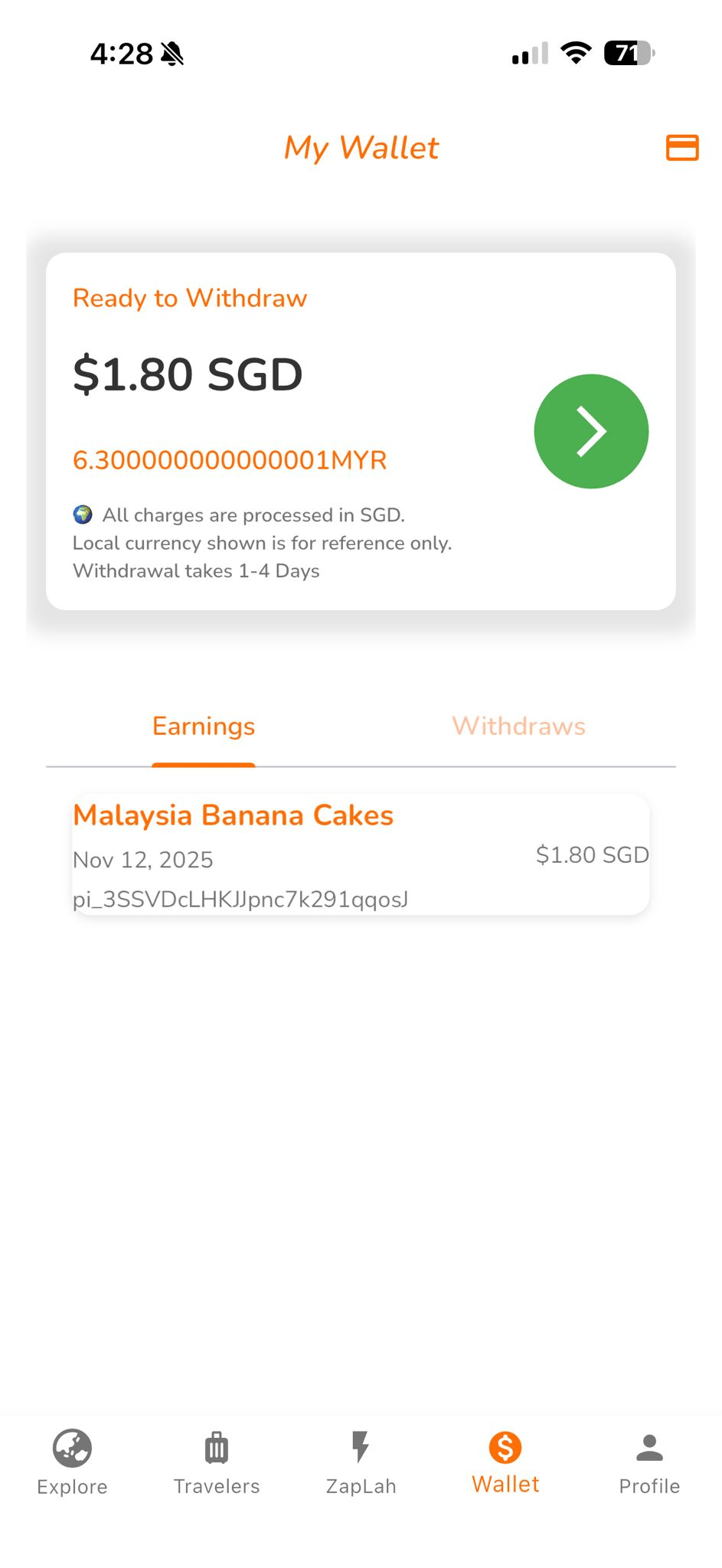
Payments are handled by third-party payment providers. Payouts are processed via international bank transfer and may vary by bank and country.
ZapLah is a marketplace. We do not buy or sell items, act as a carrier, or perform errands ourselves. Users remain responsible for their agreements, lawful conduct, and compliance.
Information you provide, technical device data, and basic usage analytics to operate and secure ZapLah.
To run the service, support payments/payouts, prevent abuse, and resolve disputes. We do not sell your personal data.
We use infrastructure and payment partners with strict access controls and data protection requirements.
Email support@zaplah.com from your registered email with subject “Data Deletion Request – ZapLah”.
We delete or anonymise profile info and personal data that is not required for legal, tax, or security reasons.
Transaction logs and dispute files may be retained for compliance and audit purposes with restricted access.
Keep conversations professional and kind. Harassment or abuse may lead to suspension.
Do not request or carry illegal or restricted items, and do not post unlawful or unsafe errands. Follow customs, airline, platform, and local rules where applicable.
Commit only when you can complete the agreed Item or Errand request. Upload honest proof and communicate early if plans, timing, or availability change.